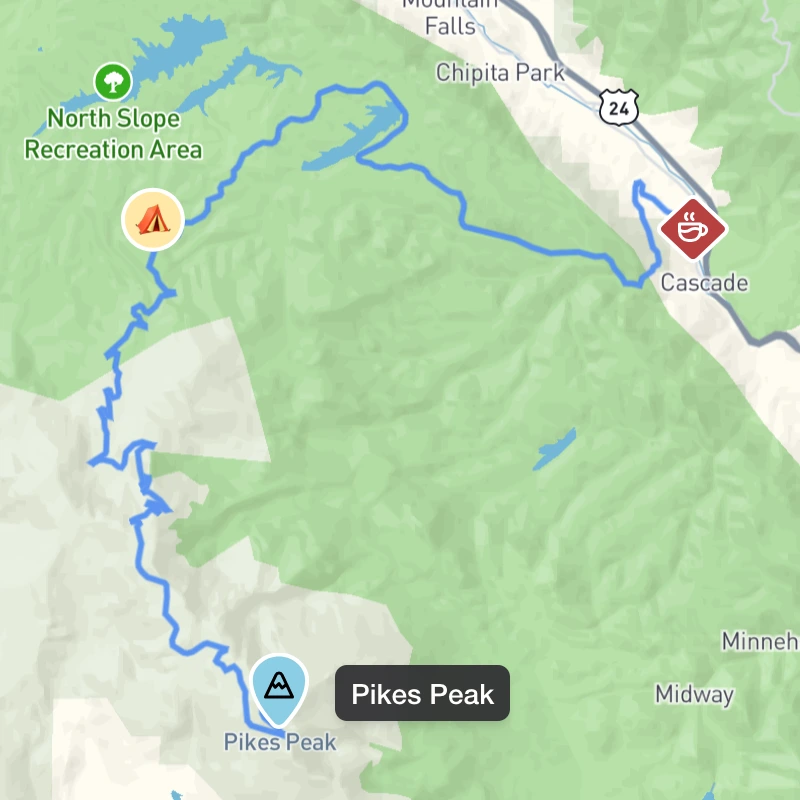
Custom waypoint markers with shapes, colors, icons and emoji
Plot Along 2.4.0 turns every waypoint into something you can recognize at a glance. Give each stop on your route its own shape, color and icon or emoji. One look at the map tells you what’s a fuel stop, an overnight stay, a scenic detour or the finish line.
Custom Waypoint Markers
Make waypoints more memorable by choosing unique shapes, colors, icons and emoji to represent them.
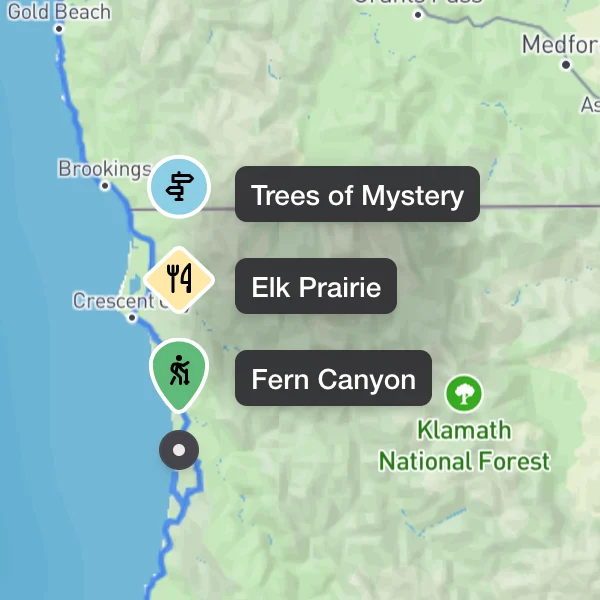
- Six shapes. Circle, square, hexagon, pin, diamond or shield.
- A curated color palette. Choose from eight colors, each one distinct and accessible so everyone can tell them apart.
- Icons for every kind of stop. A scrollable picker of icons to label a waypoint at a glance.
- Emoji, too. A curated set of emoji, including a checkered flag to mark your finish line.
- Clearer clusters. When waypoints sit close together they group into a cluster; opening one now expands into an easy-to-read list of the markers inside.
Customize in One Place
A new panel brings all of this together in one place. Open it on any waypoint to style its marker and see every change the moment you make it.
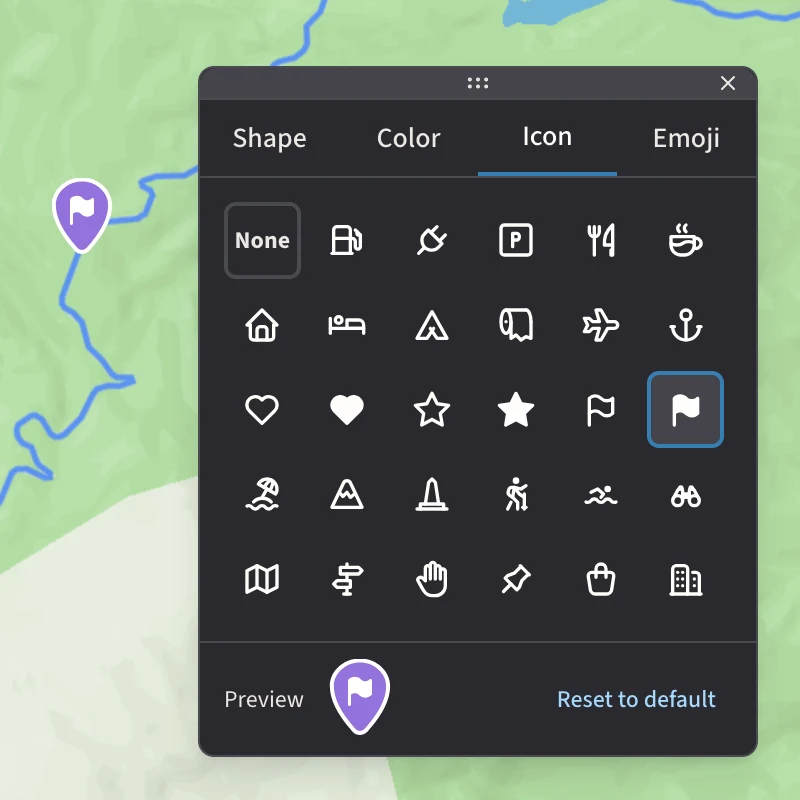
- Live preview. Watch the marker update as you choose its shape, color, icon or emoji.
- Open it from anywhere. Launch the panel from a waypoint’s marker in the sidebar, or the Edit action in the map’s context menu.
- Reset in one click. “Reset to default” returns any marker to the standard look.
- Move it aside. Drag the panel by its handle so it never covers the waypoint you’re working on.
- Keyboard friendly. Every picker is fully navigable from the keyboard.
Consistent Across the App
Style a marker once and it looks the same everywhere. Your shapes, colors and icons carry over to the public map page, the waypoint sidebar, the directions panel and the route summary. Routes you’ve already planned keep their classic numbered markers until you choose to customize them.